 See what students from United States are saying
SheCodes Pro


- ✔️ The fundamental coding languages HTML, CSS and JavaScript
- ✔️ Advanced JavaScript techniques (ES6) to build your first interactive application
- ✔️ How to make your code responsive to any screen size
- ✔️ How to build a unique online portfolio
📦 Included in this package
🛠 Skills you'll gain
 HTML
HTML
 CSS
CSS
 JavaScript
 VSCode
 API
API
 GitHub
 Hosting
 Git
Git
 Bootstrap
 SEO
SEO
 Responsive
 React.js

Matt Delac


How it works
Location
100% Online
All you need is your Laptop/PC and good internet connection
Schedule
Self-paced
Plan your learning for each week and go at your own pace
Duration
6 months
(5 hours of work per week)
or 8 weeks
(15-20 hours of work per week)
Our mission
SheCodes is here to help
Women hold just 25% of all coding jobs and earn 30% less than men.SheCodes aims to bridge this gap by teaching relevant skills for today’s job market.
Take the first step to your dream career in tech.
250,000+ women highly recommend SheCodes


Employees from these organizations also joined SheCodes Workshops


🤔 Why choose SheCodes
Our unique learning methodology gives you exactly what you need. Learn at your own pace but never lose motivation.
📹 Complete engaging lessons
Learn from bite-sized lesson videos and get your hands dirty from the start with fun practical challenges.
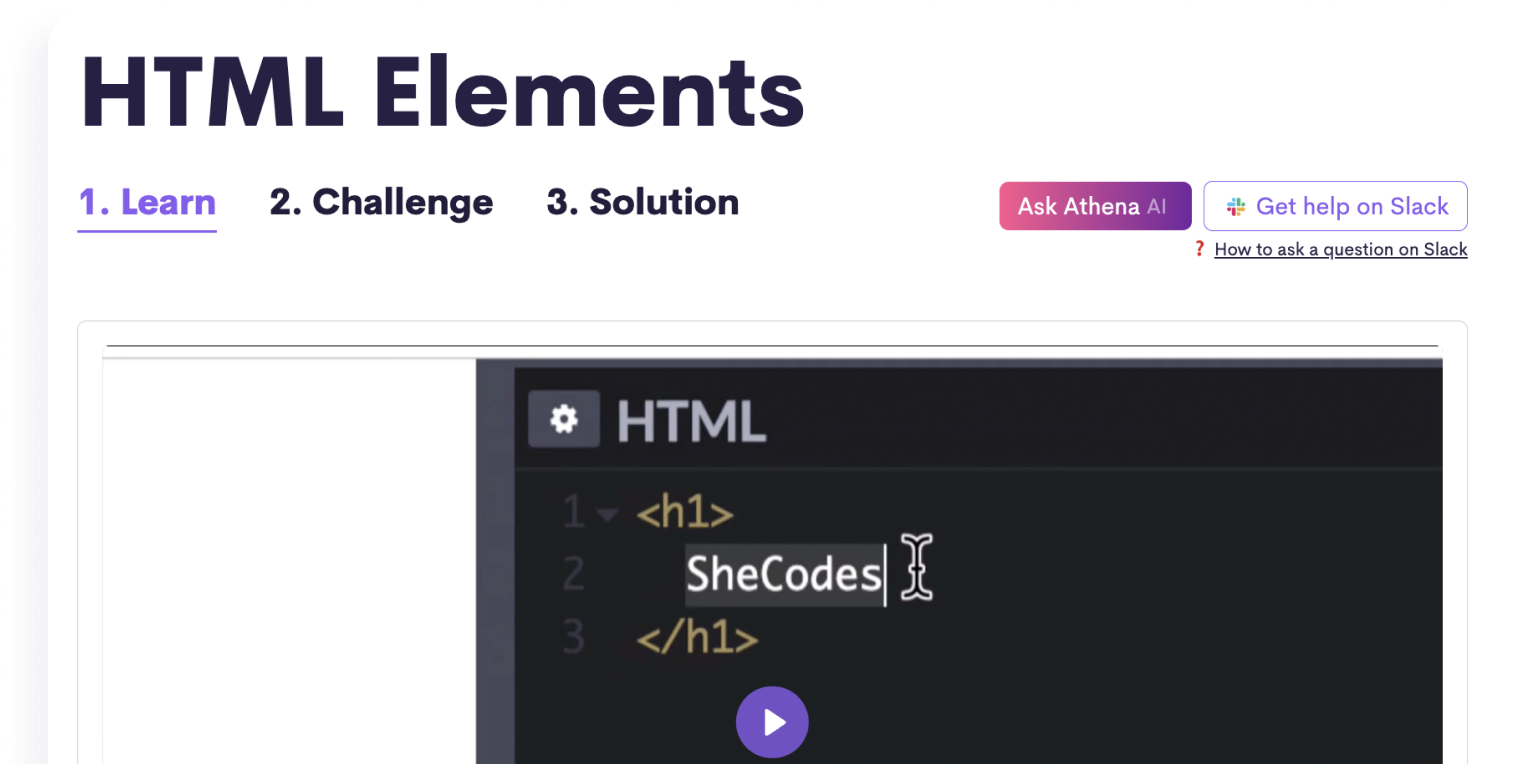
⚙️ Get technical assistance
Get help and have your homework reviewed by professional developers, or ask our AI Coding Assistant for instant replies.

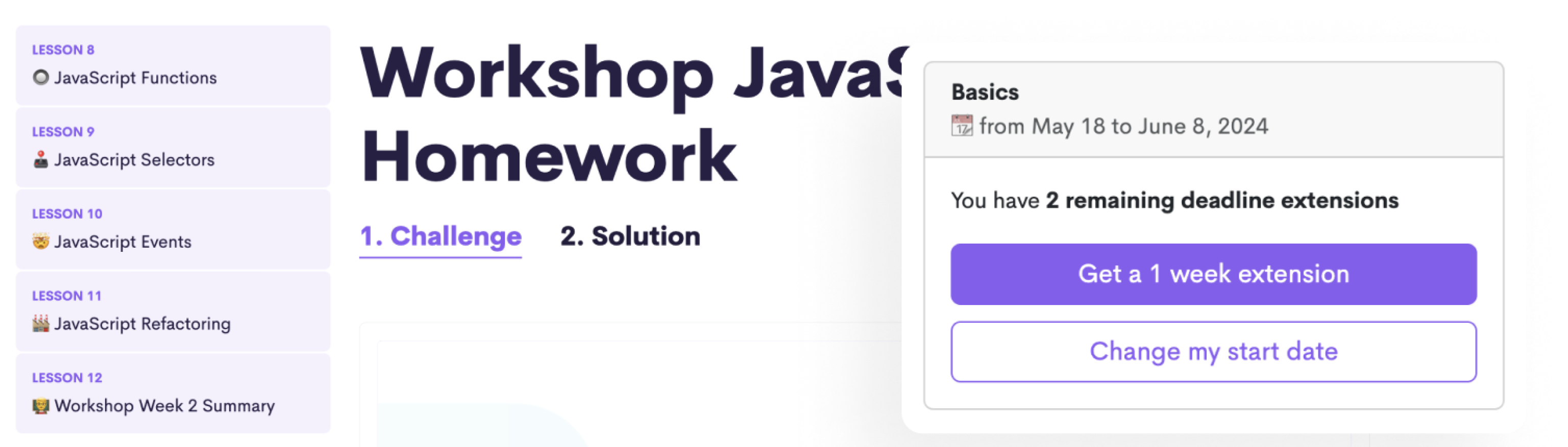
Stay motivated with weekly deadlines
Follow a structured schedule with weekly deadlines and complete homework at the end of each week to sum up what you learned.
..but enjoy a flexible schedule
Extend your weekly deadlines whenever needed without losing your progress.
🙋♀️ Learn with a vibrant community of women
Online courses don’t have to be lonely. You'll gain acess to a global community of 250,000+ ambitious women.

Learn coding with guaranteed success
SheCodes ranks higher than any other traditional online school like Udemy and Coursera.
📺 Quick 5-minute tour
With your instructor Matt Delac
💻 Build real-life projects

Landing Page

Weather App

Portfolio Website

React Weather App
🎓 Get 4 Certificates
Receive a verified certificate at the end of each coding workshop.
Share it in the Certifications section of your LinkedIn profile and add it to your resume or CV.
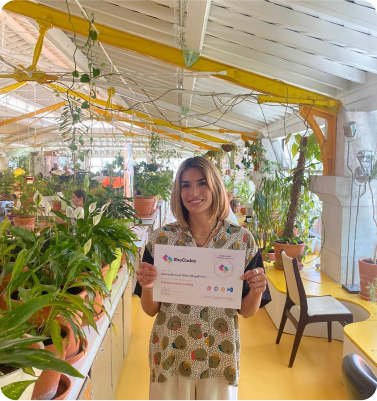

"Introduction to Coding" Certificate

"Web Development" Certificate

"Responsive Web Development" Certificate

"React Development" Certificate
Shareable on







📚 Workshop Curriculum
🎒 Lessons & challenges
- 01 Workshop Week 1 Overview Preview
- 02 Your instructor
- 03 HTML Elements Preview
- 04 HTML Attributes
- 05 Developer tools
- 06 Coding editor
- 07 Prettier
- 08 CSS Selectors
- 09 HTML Classes
- 10 VS Code Tips
- 11 CSS Properties
- 12 CSS Colors
- 13 Color palettes
- 14 CSS Positioning
- 15 CSS Spacing
- 16 CSS Borders
- 17 CSS Pseudo-selectors
- 18 Default CSS Styling
- 19 HTML Container Elements
- 20 Workshop Week 1 Summary
👩💻 Homework
🎒 Lessons & challenges
- 01 Workshop Week 2 Overview
- 02 JavaScript in the Browser
- 03 JavaScript Variables
- 04 JavaScript in HTML
- 05 JavaScript If Statements
- 06 JavaScript If Else statements
- 07 JavaScript Logical operators
- 08 JavaScript Functions
- 09 JavaScript Selectors
- 10 JavaScript Events
- 11 JavaScript Refactoring
- 12 Workshop Week 2 Summary
👩💻 Homework
🎒 Lessons & challenges
- 01 Project Overview
- 02 Project - HTML
- 03 Project - CSS
- 04 Project - JavaScript
- 05 Project - Finishing touches
- 06 Project Summary
🚀 Final project
🎒 Lessons & challenges
- 01 Plus Week 2 Overview
- 02 CodeSandbox
- 03 Missing files debugging
- 04 Visuals
- 05 Fonts
- 06 Advanced CSS Positioning
- 07 Flexbox
- 08 Advanced Selectors in CSS
- 09 Plus Week 2 Summary
👩💻 Homework
🎒 Lessons & challenges
- 01 Plus Week 3 Overview
- 02 JS Revision
- 03 JS Strings
- 04 JS Math
- 05 JS Arrays and Loops
- 06 JS Objects
- 07 JS Arrays vs Objects
- 08 Plus Week 3 Summary
👩💻 Homework
🎒 Lessons & challenges
- 01 Plus Week 4 Overview
- 02 JS Functions
- 03 JS Functions Parameters
- 04 JS Debugging
- 05 JS Functions Return
- 06 JS Dates
- 07 JS Selectors
- 08 JS Events
- 09 JS Forms
- 10 Plus Week 4 Summary
👩💻 Homework
🎒 Lessons & challenges
- 01 Plus Week 5 Overview
- 02 API
- 03 AJAX
- 04 Weather API
- 05 Plus Week 5 Summary
👩💻 Homework
🎒 Lessons & challenges
- 01 Plus Week 6 Overview
- 02 Install Git
- 03 GIT
- 04 GitHub
- 05 Hosting
- 06 Netlify
- 07 Plus Week 6 Summary
👩💻 Homework
🎒 Lessons & challenges
- 01 Vanilla Weather Search Overview
- 02 Vanilla Weather Search / Project Setup
- 03 Vanilla Weather Search / Project Design
- 04 Vanilla Weather Search / HTML
- 05 Vanilla Weather Search / CSS
- 06 Vanilla Weather Search / Search engine
- 07 Vanilla Weather Search / API Integration
- 08 Vanilla Weather Search / Weather Data
- 09 Vanilla Weather Search / Summary
👩💻 Homework
🎒 Lessons & challenges
- 01 Vanilla Weather Forecast Overview
- 02 Vanilla Weather Forecast / Plan
- 03 Vanilla Weather Forecast / HTML/CSS
- 04 Vanilla Weather Forecast / JS Template
- 05 Vanilla Weather Forecast / API
- 06 Vanilla Weather Forecast / API Integration
- 07 Vanilla Weather Forecast Summary
🚀 Final project
🎒 Lessons & challenges
- 01 Responsive Week 2 Overview
- 02 Bootstrap
- 03 Utility CSS Classes
- 04 Responsive Grids
- 05 Responsive Images
- 06 Responsive Navigation
- 07 Responsive Week 2 Summary
👩💻 Homework
🎒 Lessons & challenges
- 01 Responsive Week 3 Overview
- 02 Responsive Testing
- 03 CSS Media Queries
- 04 Live Server
- 05 Multiple Page Hosting
- 06 SEO
- 07 Responsive Week 3 Summary
👩💻 Homework
🎒 Lessons & challenges
- 01 Responsive Week 4 Overview
- 02 Portfolio Project / Wireframe
- 03 Portfolio Project / User Interface
- 04 Figma
- 05 Figma Dev Mode
- 06 Portfolio Project / Setup
- 07 Portfolio Project / Git + Github
- 08 Portfolio Project / Homepage Hero
- 09 Portfolio Project / Homepage Content
- 10 Responsive Week 4 Summary
👩💻 Homework
🎒 Lessons & challenges
- 01 Responsive Week 5 Overview
- 02 Portfolio Project / About Page
- 03 Portfolio Project / Work Page
- 04 Portfolio Project / Contact Page
- 05 Portfolio Project / Header
- 06 Portfolio Project / Footer
- 07 Portfolio Project / SEO
- 08 Responsive Week 5 Summary
🚀 Final project
🎒 Lessons & challenges
- 01 React Week 2 Overview
- 02 JS Closures
- 03 React Events
- 04 React States
- 05 React Forms
- 06 React Week 2 Summary
👩💻 Homework
🎒 Lessons & challenges
- 01 React Week 3 Overview
- 02 React Conditional Rendering
- 03 React Loops
- 04 React AJAX
- 05 React External Components
- 06 React Week 3 Summary
👩💻 Homework
🎒 Lessons & challenges
- 01 React Week 4 Overview
- 02 Node.js
- 03 Terminal
- 04 Create React App
- 05 Create React App with Vite
- 06 React Debugging
- 07 NPM
- 08 React hosting
- 09 Netlify Debugging
- 10 React Week 4 Summary
👩💻 Homework
🎒 Lessons & challenges
- 01 React Weather Project / Project Structure
- 02 React Weather Project / HTML
- 03 React Weather Project / CSS
- 04 React Weather Project / SheCodes API
- 05 React Weather Project / API Integration
- 06 React Weather Project / Date
- 07 React Weather Project / Search Engine
- 08 React Weather Project / Weather Icon
- 09 React Weather Project / Unit Conversion
- 10 React Weather Search / Summary
👩💻 Homework
🎒 Lessons & challenges
- 01 React Weather Project / Forecast / Overview
- 02 React Weather Project / Forecast / Layout
- 03 React Weather Project / Forecast / API
- 04 React Weather Project / Forecast / 1 Day
- 05 React Weather Project / Forecast / 5 Day
- 06 React Weather Project / Forecast / Refresh
- 07 React Weather Project / Finishing touches
🚀 Final project
📦 What's included
We provide everything you need to succeed.


4 Verified Certificates
See samples12 Technologies Learned
See technologies included
HTML
CSS
JavaScript
VSCode
API
GitHub
Hosting
Git
Bootstrap
SEO
Responsive
React.js
4 Final Projects
Lifetime Access
Weekly Deadlines
Live Technical Assistance
by professional developersHomework Review
AI Coding Assistant
Standard Support
We've taught 250,000+ women to code
All of our students started our workshops as complete beginners! Here’s what a few of them had to say
See more reviews
SheCodes Graduate
 5/5
5/5


SheCodes Graduate
5/5


SheCodes Graduate
5/5


🤔 Frequently Asked Questions
If you have any other questions, you can easily reach out to us here
What are the requirements to join?
There are no requirements. This is open to complete beginners!
Who is this workshop for?
This workshop is designed for complete beginners. You'll start with some basics and build upon your knowledge gradually. If you want to delve deep into the world of coding as you begin your coding journey, then this workshop is for you!
Who teaches the workshops?
The workshops are taught by SheCodes founder, Matt Delac. He is a full stack engineer with over ten years of experience in the field of development.
Can I watch the lesson videos whenever I want?
Yes! You can watch the lesson videos whenever is convenient for you. Keep in mind that you’ll have homework deadlines, so just make sure you watch the designated weekly lesson videos in time to complete your homework.
How can I complete the workshop payment?
The workshop payment can be completed with Visa, Mastercard, or bank transfers. If you’d like to pay with a bank transfer, contact [email protected] to receive payment instructions.
Do I need a laptop to join?
You’ll need a laptop or desktop computer to complete the workshop. You'll also need to make sure that your device is able to download the necessary free software required. You cannot use iPads, tablets, or smartphones to complete the workshops; however, maybe you can borrow a laptop or computer from someone if necessary.
💬 Success Stories


Not sure if this is for you?
Browse all of our workshops and compare them.

251,686 women already enrolled
Enroll TodayStarts Aug 18 Enroll Next Week
Starts Aug 24
You can change your enrollment date anytime.
Apply for a discount